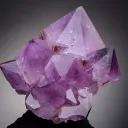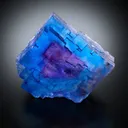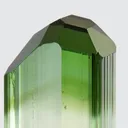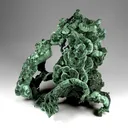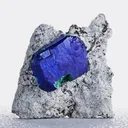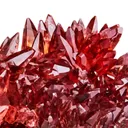
You don't need a DSLR or a studio. With an iPhone, an affordable lighted turntable, and a lump of tack, you can take catalog- and gallery-quality specimen photos at your kitchen table.
Here's the thing almost nobody tells you about mineral photography: the camera is the least important part. The photos that make collectors stop scrolling - true color, sharp crystals, clean backgrounds, the piece sitting at exactly the right angle — come from cheap, learnable things. A clean specimen. Smart mounting. Dead-center framing. Even, accurate light.
All of which you can do with the phone already in your pocket.
This guide is a complete home workflow built around an iPhone and a lighted turntable. No DSLR, no macro lens, no studio. By the end you'll be able to shoot both a clean documentation set for your catalog and a genuinely beautiful presentation set (including a spinning 360° view) for your public gallery, at your kitchen table, in about five minutes per specimen.
Modern iPhone cameras are extraordinary, and minerals happen to play to their strengths. The small sensor that's a liability in low light is an asset here: it gives you deep depth of field, so more of a three-dimensional specimen lands in focus without any fancy technique. The computational photography handles exposure. And with a steady mount and good light, the resolution is more than enough for catalog records, listings, and online galleries.
The two things a phone won't fix are the two things beginners ignore: a dusty specimen and bad light. So we'll solve those with gear that costs less than a decent lens.
Here's the whole setup. The turntable is the one real purchase; everything else is a few dollars.
That's it. Now the actual workflow.
This is the highest-impact thing in this entire guide, and the most ignored. The iPhone's macro capability is merciless: every speck of dust, every fiber of lint, every fingerprint becomes a glowing distraction in the final image. Clean first, always — it's far easier than editing dust out later, and on a textured crystal it's basically impossible to fix afterward.
Work from gentlest to least gentle:
A critical caution on water: many collectors reach for water and ruin a piece. Plenty of hardy silicates (quartz, most tourmaline, beryl) tolerate a quick rinse with distilled water and a soft brush. But a lot of minerals do not: water-soluble species like halite, many delicate sulfates, fibrous or soft material, and anything on a crumbly or clay-rich matrix can be damaged or destroyed. Glued repairs can also let go in water. When in doubt, dry-clean only. A slightly dusty intact specimen beats a "clean" damaged one every time. If you don't know a species' sensitivities, look it up before you wet it.
Here's the trick that instantly separates good specimen photos from snapshots: almost nothing sits at its best angle on its own. Left to gravity, a specimen flops onto its flattest face — which is rarely the face you want forward. Professionals fix this with a small piece of tack hidden underneath.
How to use it:
One caution: tack can stain porous or light-colored matrix (chalky, absorbent, or pale rock). On those, use the smallest possible amount, place it on a hard crystal foot rather than porous rock, or put a tiny barrier (a scrap of clear film) between putty and stone. For floaters and odd shapes, seat the tack on a clear acrylic riser so the mount disappears into the background.
"Centering" matters twice, and both are easy to get wrong.
Center it on the turntable. Place the specimen's center of mass directly over the platform's pivot. If the piece is off-center, a 360° spin will make it swing toward and away from the lens, drifting in and out of focus and framing. Tack it down once it's centered and balanced. Spin it by hand one full rotation to check it stays put and in focus the whole way around before you shoot.
Center it in the frame. For documentation, fill 70–85% of the frame with the specimen and leave even margins on all sides — consistent framing lets you compare pieces side by side later. Shoot at the specimen's own height, lens level with the piece, rather than looking down on it from above; a level angle reads as "portrait of a specimen," a top-down angle reads as "photo of a rock on a table." For presentation shots you can break these rules artfully, but for the catalog, center and fill.
The Foldio360's Halo light does most of the work, and its 5600K/CRI 97+ output means your colors will be accurate out of the box. A few refinements take it from good to great:
Mount the phone (the Foldio360 app drives the capture) and dial in a few things:
A little post-processing helps; a lot hurts. Adjust exposure and white balance so the photo matches the specimen in your hand, crop for clean framing, and remove a stray dust speck you missed. That's it.
The cardinal sin of mineral photography is over-saturation — cranking the vibrance until a pale amethyst glows electric purple. It might get more likes, but it destroys the one thing that actually matters online: trust. A faithful photo — true color, honest scale, real contrast — is what lets someone evaluate, value, or buy a specimen they can't hold. Edit toward accurate, not impressive.
The fastest way to orphan a beautiful photo is to let your phone name it IMG_4821. Rename each image to its catalog number — 2026-014_front.jpg, 2026-014_detail.jpg — so it can never be separated from the specimen it documents. (This habit is the backbone of our cataloging system; photos named by number simply never get lost.)
Then store them with the specimen record. On EarthWonders you can attach multiple photos to each specimen, keep it private or publish it to a public gallery, and let your best pieces be seen — and good photos are also what make a specimen sell and appraise well, since buyers and the market judge largely on images.
You don't need to spend thousands to photograph your collection well. An iPhone, a Foldio360 turntable, a lump of tack, and ten minutes of cleaning and centering will produce images that hold up in any catalog or gallery — and a spinning 360° view that makes your specimens look the way they do in your hand.
Clean it, tack it to its best angle, center it, light it honestly, and name the files by number. Do that consistently and your collection won't just be well-documented — it'll look the way it deserves to.
Shot some great photos? Add them to a free EarthWonders collection — multiple images per specimen, private or public, on web and mobile.