How a Sale Works
A sale is five steps from "Buy now" to money in the seller's pocket. At each order step both sides get an email, an in-app notification, and an update in the order's conversation — and the order page always shows whose move it is. Here's the whole thing.
Last updated
- Placed
- Confirmed
- Shipped
- Delivered
- 1BuyerStatus becomes: Payment received
Buy and pay
Hit "Buy now" on a listing and pay by card or PayPal at checkout. If you agreed a price through an offer, the seller's acceptance gives you a checkout link — pay there instead. The moment payment goes through, the specimen is reserved for you and your order opens with the tracker below.
Where: The listing page → checkout. Afterwards: "My Purchases".
- Placed
- Confirmed
- Shipped
- Delivered
When am I charged, and who pays shipping?
At checkout, the moment you pay. Your order is ready to ship right away — the seller packs and sends it. Shipping is set by the seller and shown in your total before you pay. (High-value specimens of $10,000+ use a reservation instead — see below.)
- 2SellerStatus becomes: Shipped
Pack, ship, and add tracking
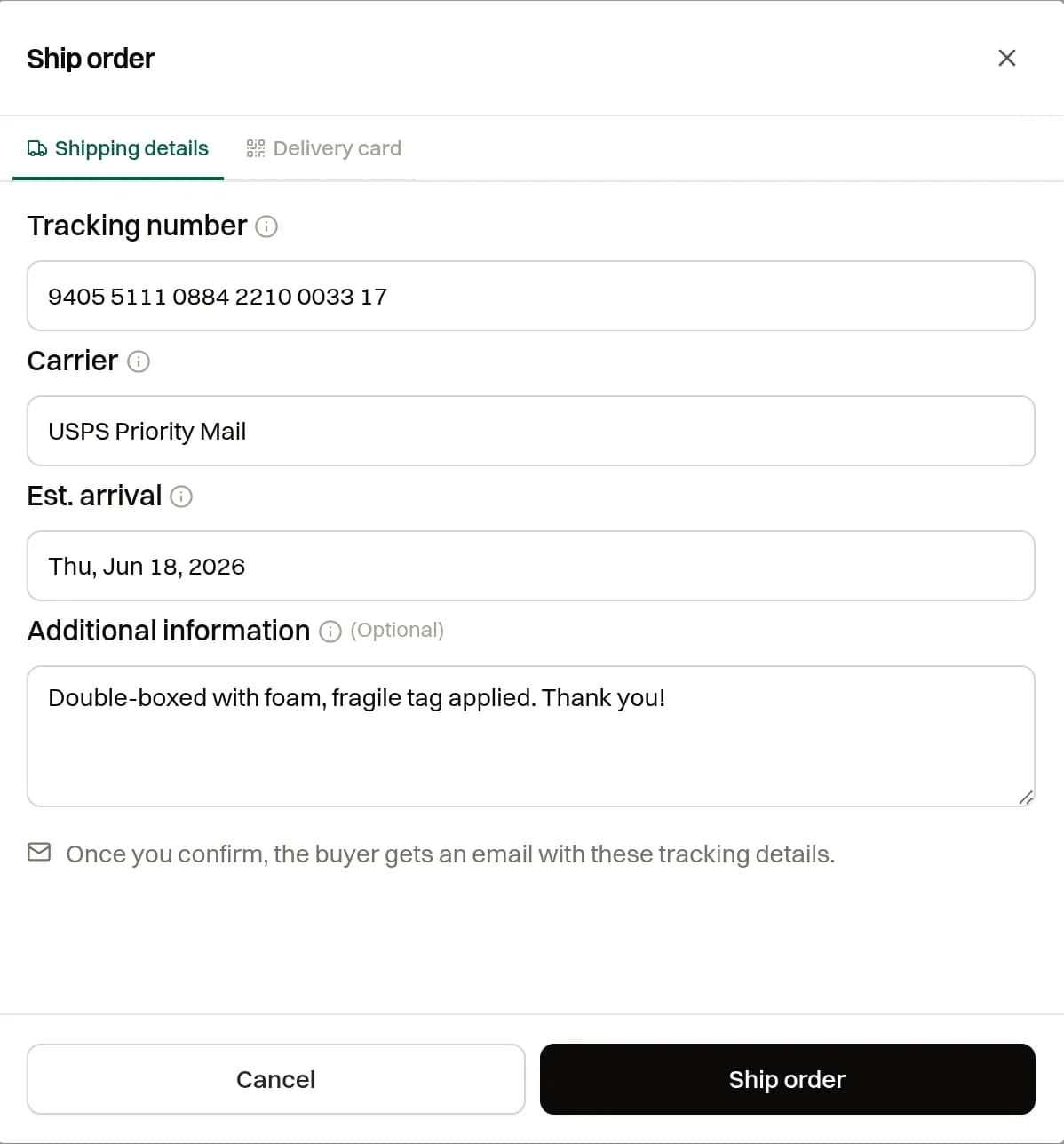
You're notified the instant an order comes in — it's paid and ready to ship straight away, no confirmation step. Pack the specimen securely, then press Ship order and enter the carrier and tracking number. The buyer is emailed instantly and can follow the package. Ship within your stated processing time — 3 days by default. If you can't fulfil the order, press Cancel order instead: the order is cancelled, the specimen goes back on the market, and both sides are emailed. The buyer's refund is issued by EarthWonders support — it does not happen automatically. The Ship order dialog has two tabs, "Shipping details" and "Delivery card" — a QR code the seller can include in the box.
Where: "Selling" → "Orders" → the order → "Ship order".
- Placed
- Confirmed
- Shipped
- Delivered
How should I pack a specimen?
Like it's going to a museum — double-box fragile pieces with foam and fill all voids. Our Shipping & Handling guide covers materials, insurance, and carrier tips.
- 3BuyerStatus becomes: Delivery accepted
Confirm you received it
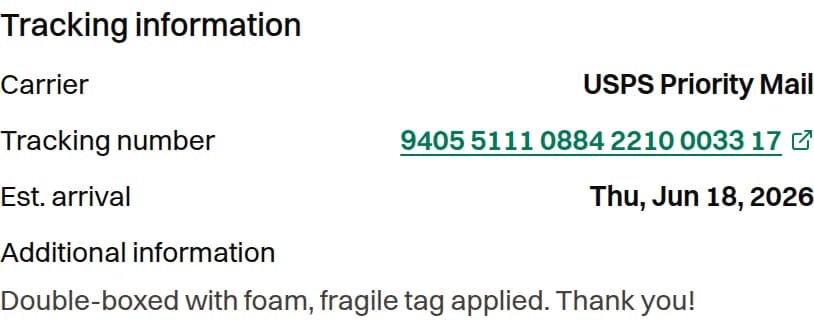
When the package arrives, open the order and press "I have received my order". The tracking number on the order links to the carrier. That closes the loop for the seller — and drops the specimen, with its full provenance, straight into your EarthWonders collection.
Where: "My Purchases" → the order → "I have received my order".
- Placed
- Confirmed
- Shipped
- Delivered
What if it arrives damaged, or isn't as described?
You have a return window — 30 days by default — to request a return. Don't press "I have received my order"; contact the seller from the order's chat and reach out to support. See Returns & Refunds for the full process.
- 4Buyer & Seller
Leave a review
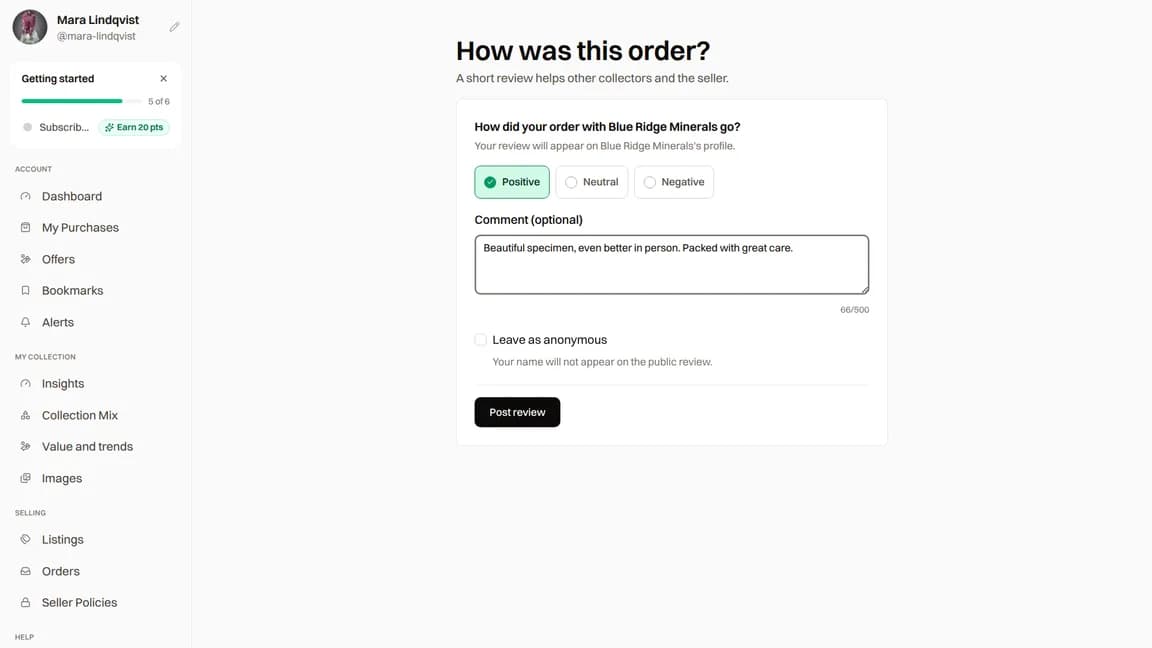
After delivery is confirmed, both buyer and seller can review the other person. Choose Positive, Neutral or Negative, and add an optional comment about your experience. Buyers can choose "Leave as anonymous". Reviews wait for moderator approval before they appear publicly. Leaving a review earns you 5 points.
Where: Buyers: "My Purchases" → the order → review. Sellers: "Selling" → "Orders" → the order → review.
Leaving a review Can I leave a review anonymously?
As a buyer, you can select "Leave as anonymous" before posting. Your name is hidden on public reviews, but the other party and moderators can still see who wrote it. Sellers cannot post anonymously.
- 5SellerStatus becomes: Delivered
Get paid
Once delivery is confirmed and the return window on that order has closed, the sale is included in the next monthly payout. Payouts are sent by PayPal, on or before the last Friday of the month. A member of our team contacts you for your PayPal details and sends a breakdown before the funds go out. See Seller Payouts for the tax form and the fees.
Where: Nowhere in the app — our team emails you for your PayPal details when your first sale is ready to be paid.
- Placed
- Confirmed
- Shipped
- Delivered
When exactly does the seller get paid, and what's the fee?
In the next monthly payout after delivery is confirmed and the return window closes, by PayPal, on or before the last Friday of the month. A member of our team contacts you for your PayPal details and sends a breakdown. See Seller Payouts for the tax form and the fees.
Buyers manage orders from "My Purchases"; sellers from "Selling" → "Orders".
Variations on the flow
Started with an offer?
Same flow. When the seller accepts your offer the specimen is reserved and you get a checkout link — paying there is step 1, and everything continues exactly as above.
High-value specimens ($10,000+)
Instead of paying at checkout you place a reservation. The order goes straight to awaiting payment — the seller does not confirm it — and EarthWonders emails you wire-transfer instructions. Once staff confirm the transfer has cleared, the seller ships. The rest of the flow is identical.
Questions mid-order?
Every order has its own conversation in Messages. Message the other party there at any point, or contact support from any page — you're never stuck guessing what happens next.