Suggesting Changes to a Specimen
A wrong locality, a missing reference, a better photo: when a specimen belongs to another member, you can't edit it, but you can send its owner a correction. They decide what goes in.
Last updated
Suggest a change
- 1
Open the specimen and choose Suggest a change
Sign in and open the specimen. When it belongs to another member with an EarthWonders account, a Spotted a mistake? box sits next to its details. Click Suggest a change.
- 2
Correct or add what you can back up
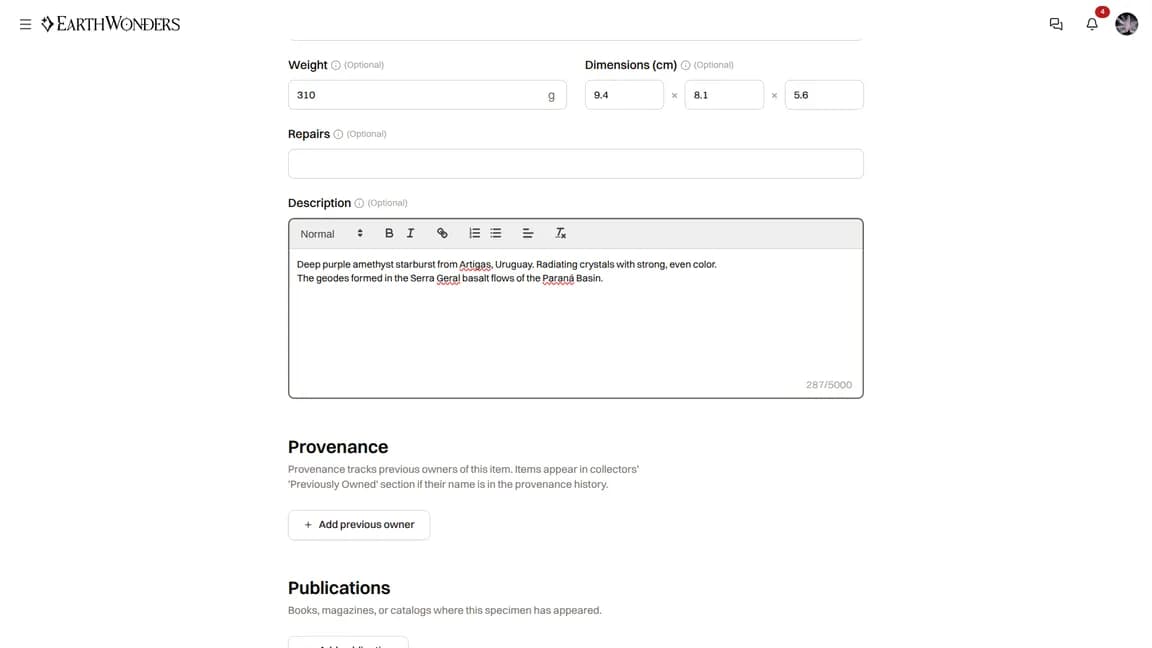
The form starts from the specimen's public details. You can change the photos, main and other species, locality, units, size, weight, repairs, description, publications and previous owners. You can add only photos you uploaded yourself.
- 3
Add a message and click Send to owner
Tell the owner what you changed and where it comes from, in up to 1,000 characters. The specimen stays exactly as it is until the owner accepts.
In the EarthWonders app, open the specimen and tap Suggest a change.
What the owner sees
The owner gets a notification, and their specimen page shows how many suggested changes await review. Review opens a page with your name, your message and every changed field, its current value next to yours.
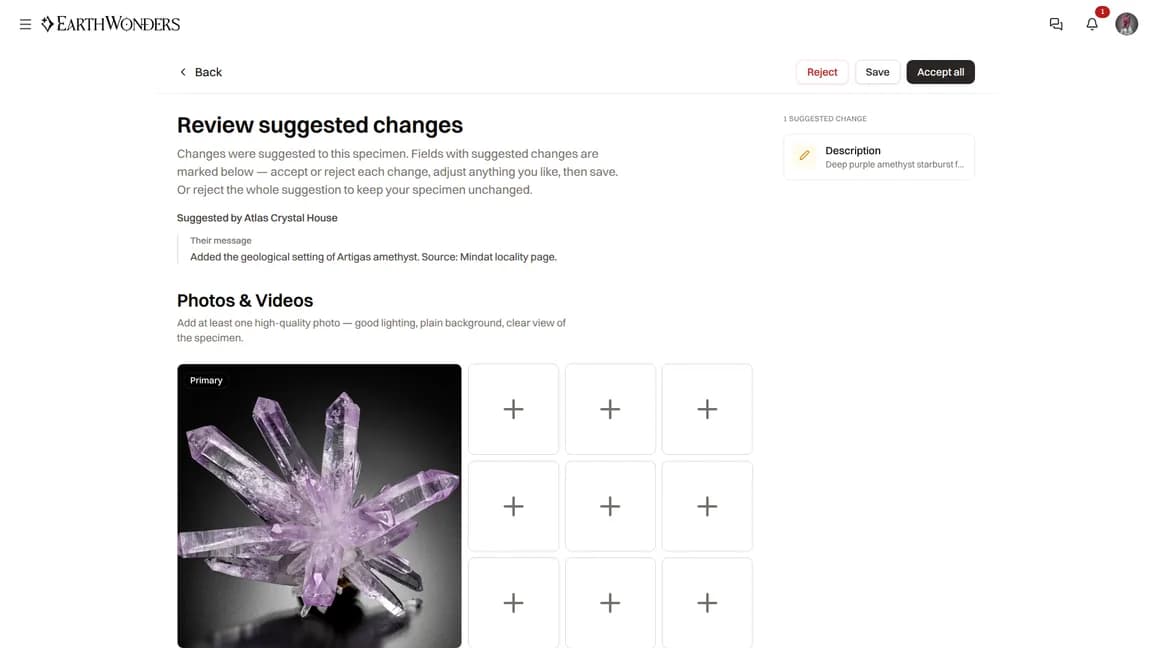
Accept all applies every suggested change at once.
Accept or Reject each change on its own, adjust any value yourself, then Save.
Reject turns down the whole suggestion. You can add a note, up to 1,000 characters, for the person who sent it.
In the app, the owner keeps their value or takes yours for each field, then accepts or rejects.
Follow your suggestion
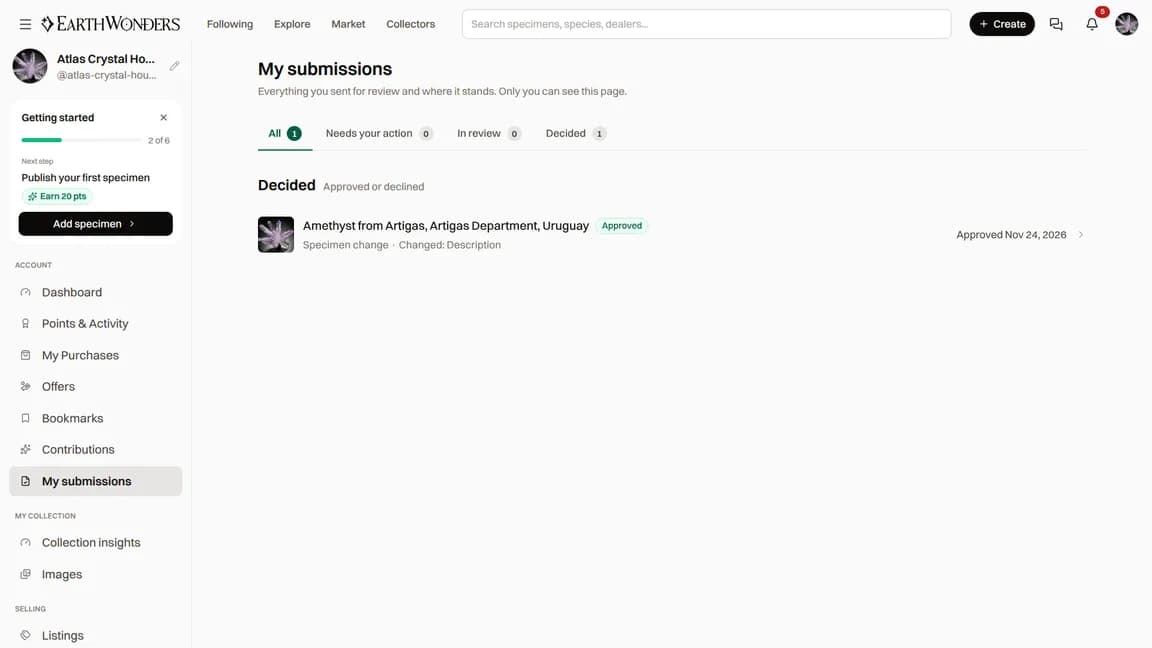
You are notified when the owner accepts or declines. Open My submissions from your account menu to see every suggestion and where it stands: Waiting for the owner, Approved or Declined.
Accepted suggestions count as contributions
When the owner accepts, the change history credits you, and it appears on your Contributions page with 5 points, like any other specimen edit.
Suggest a change or Contribute?
Suggest a change — the owner is a member
The specimen belongs to someone with an EarthWonders account. Your correction waits for them to accept it.
Contribute — nobody here owns it
The owner is not on EarthWonders, or not known. Your edits apply directly.
Common questions
Why don't I see Suggest a change?
It appears only on a published specimen whose owner is another member with an account, not shown as anonymous, and not reserved for a buyer. On your own specimen, use the normal edit form. When the owner has no EarthWonders account, the specimen may offer Contribute instead, where your edits apply directly.
Can I suggest a new owner, a price or a privacy setting?
No. Ownership, privacy and sale settings belong to the owner. For a previous owner, leave the price blank to keep the owner's value.
Can I change my suggestion after sending it?
Yes. While it waits, the specimen page shows Edit suggestion, and My submissions links to it too. You have one suggestion per specimen: sending again replaces the waiting one.
What happens when the owner declines?
The specimen stays as it is and you are notified. If the owner left a note, you can read it on My submissions.