Contributing Edits & Wiki Guides
A better locality, a clear label photo, a useful reference — small corrections make the catalog more valuable for everyone. Here is where you can help and what happens to your edits.
Last updated
Improve an unclaimed specimen
- 1
Open a specimen and choose Contribute
Sign in first. This option appears on someone else's specimen when its owner has no EarthWonders account, is not anonymous, and it has no listing or its listing has been removed. Signed-out visitors see Sign in to contribute instead.
- 2
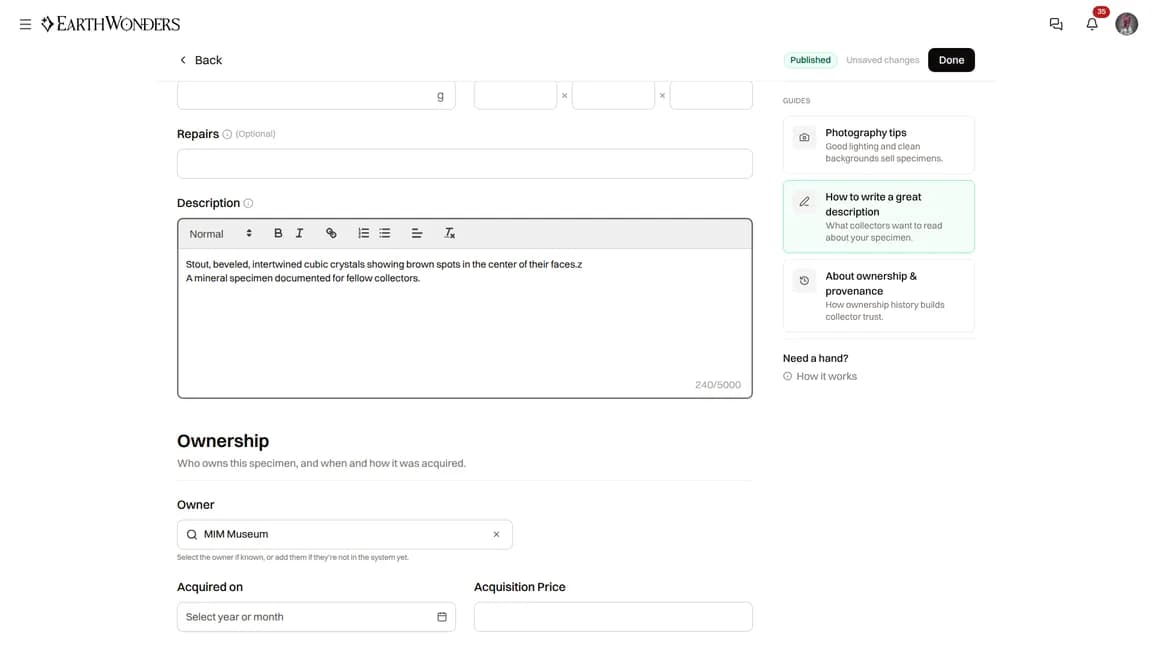
Add details you can verify
You can add photos and videos, species, locality, title, description, dimensions, weight, owner, acquisition details, provenance, and publications. Contribution mode does not include the visibility or selling settings. Correct what you know and leave uncertain details alone.
- 3
Check your saved changes and Contributions
The form saves your changes automatically. Corrections apply directly without an owner approval step. Assigning the specimen to another registered member is different: that member must accept the ownership suggestion. Open Contributions in your account menu to see your work.
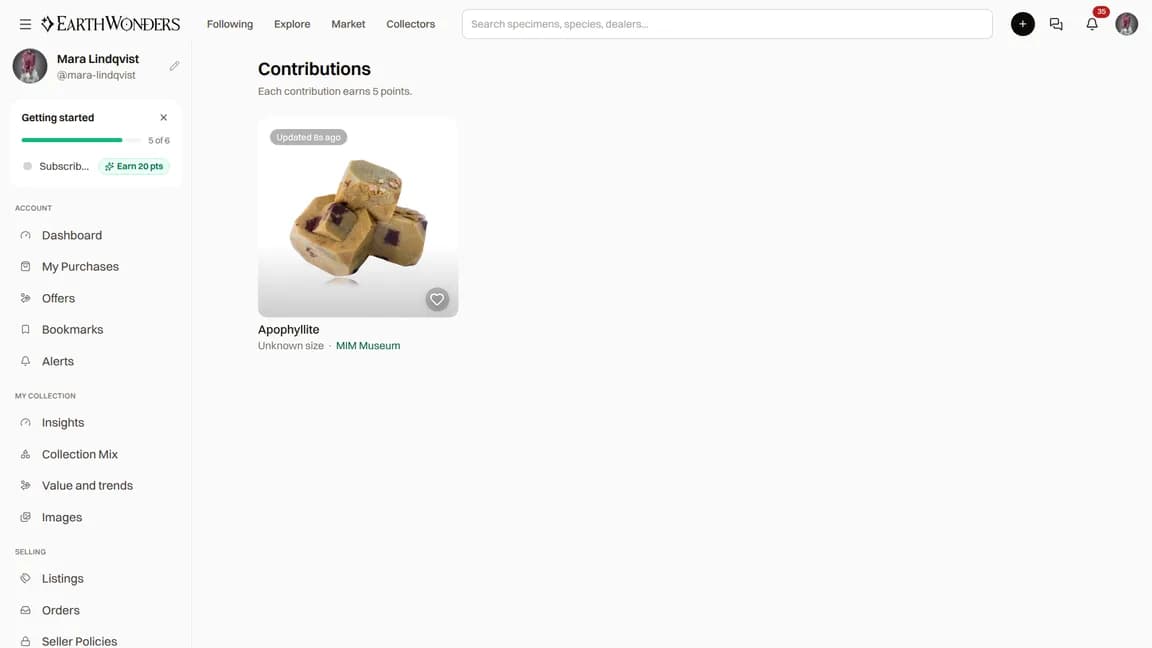
5 points for a contribution
A saved update to a published specimen earns 5 points. Adding an image is a separate contribution type and can earn another 5. Each type counts once per specimen, per member, per UTC calendar day — repeated saves do not keep adding points. This limits points, not how often you can improve the record.
If we find a duplicate of your specimen
When an editor proposes combining a duplicate with your specimen, you receive a notification. Your edit form also shows a Review changes link while the suggestion awaits your decision. Your specimen's suggested field changes are not applied until you save the review.
- Open Review changes. Suggested fields are marked so you can compare them with your current record.
- Use Accept or Reject for each change, or Accept all. You can adjust the details yourself before choosing Save.
- To keep your specimen unchanged, use the page's Reject action to decline the whole suggestion and confirm.
Edit a species or locality guide
- 1
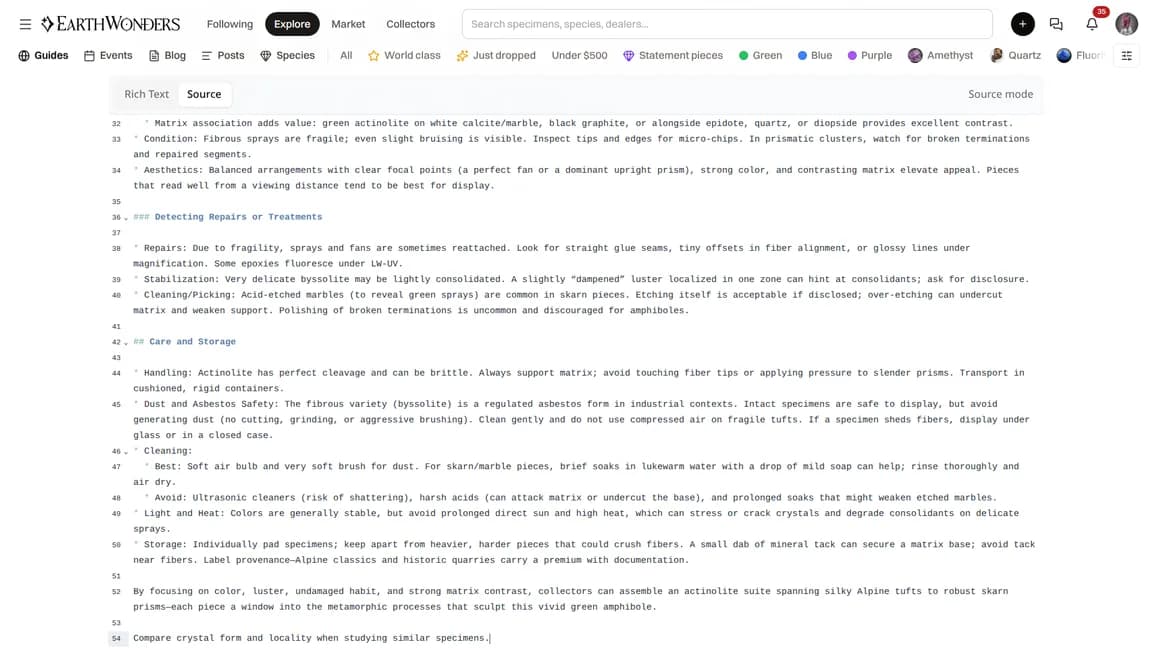
Open the guide and choose Edit Guide
Signed-in members can use the editor. If you are signed out, opening it sends you to sign in. Add well-supported information about the mineral species or locality, and include useful sources.
- 2
Save your work for review
On a published guide, choose Save Draft. Your edit stays in a pending draft until an admin reviews and publishes it; the public guide does not change immediately. On an unpublished guide, the button is Save Changes. If a pending draft already exists, the editor opens that draft, so check the existing edits before adding yours.
Version history
Guide versions preserve previous text and who made the changes. Currently, View History and the history page are available only to admins, not ordinary members. Admins can select an older and a newer version to compare their text side by side; the comparison is on the history page, not a separate diff page. Pending drafts are kept out of published version history.

Common questions
Why don't I see Contribute on a specimen?
It is not shown on your own specimen, an anonymous owner's specimen, or a specimen whose owner has an EarthWonders account. A listing also prevents contributions unless it has been removed. On your own specimen, use the normal edit form.
Can the owner undo my edit?
Once the specimen belongs to a registered member, they can correct its details in their own edit form. Ordinary contributions are saved directly, not queued for the owner to approve. If a correction needs help, contact the EarthWonders team.
I own this specimen. How do I claim it?
If Contribute is available, sign in, open the form, and select your own collector entry as the owner. Save the change to link the specimen to you. If the record already has a registered or anonymous owner, contact the EarthWonders team rather than creating another record.
Do guide edits earn points too?
Yes. A saved guide edit that changes the content earns 5 contribution points, even when the edit is a draft awaiting review. Repeated edits of the same guide count only once per UTC calendar day for that contribution type.