Buying & selling safely in chat
Agree on a price in chat. Keep the offer and payment on EarthWonders so the sale stays protected.
Last updated
Keep payments on EarthWonders
Payments outside EarthWonders have no returns, no buyer protection and no support mediation. Never pay by PayPal Friends & Family, bank transfer or crypto at someone's request in chat.
For sellers: send an offer in chat
- 1
Open Create offer
In a direct chat, tap + → Create offer.
- 2
Pick a specimen
Choose one of your published specimens.
- 3
Set the price
Enter a price and an optional note.
- 4
Send the offer
Send it for the buyer to accept, counter or decline.
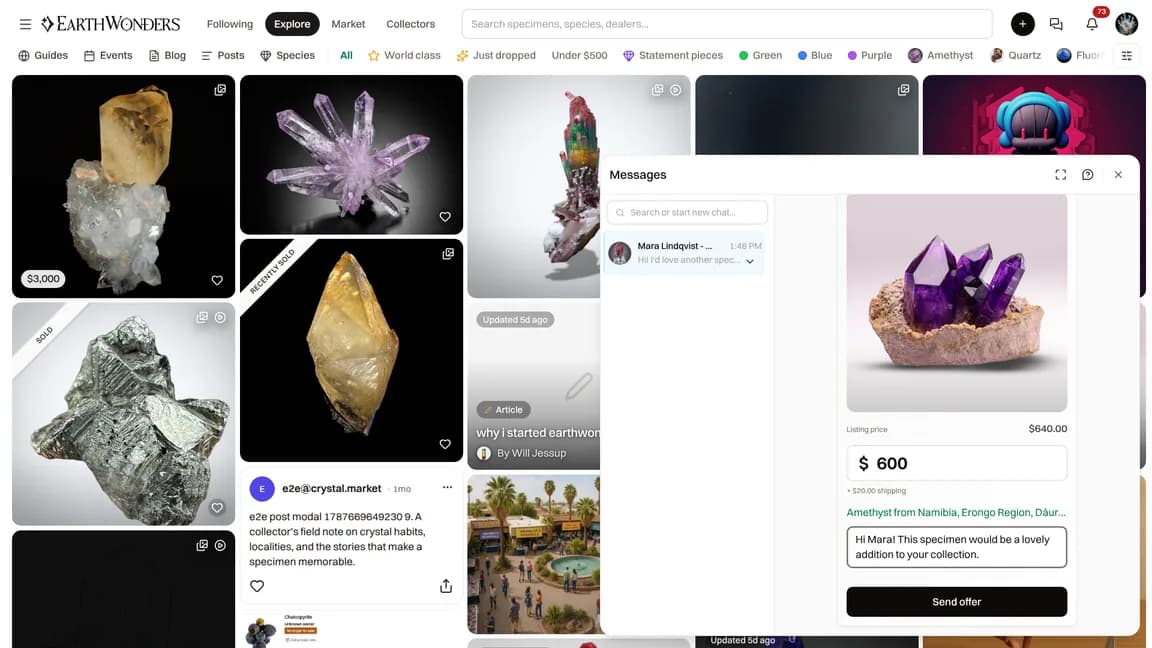
The buyer accepts and pays on EarthWonders. Shipping, returns and payout work exactly like a listing sale.
Who you can send offers to
People whose earlier order with you has been delivered (in either direction), or who sent you an offer as a buyer — and only after they have written a visible message in this chat and while they allow offers from sellers.
For everyone else, enable offers on the specimen and ask them to make the first offer from the specimen page.
Why is Create offer unavailable?
If the row is greyed out, the reason is shown underneath it. You can only send to people who already dealt with you, after they have written in the chat, and while they allow offers from sellers.
For buyers
A seller offered you something in chat? Ask them to tap + → Create offer. If they say they can't, make the first offer from the specimen page. You can accept and pay on EarthWonders, counter or decline the offer card.
You can switch "Offers from sellers" off in Preferences.
If something feels off
Block or report the person from the chat header, or contact support at info@earthwonders.com.