Blocking a Member
Not every bad interaction needs a moderator. When you simply want someone out of your inbox, blocking takes two clicks — and they're never told.
Last updated
Block someone from their profile
- 1
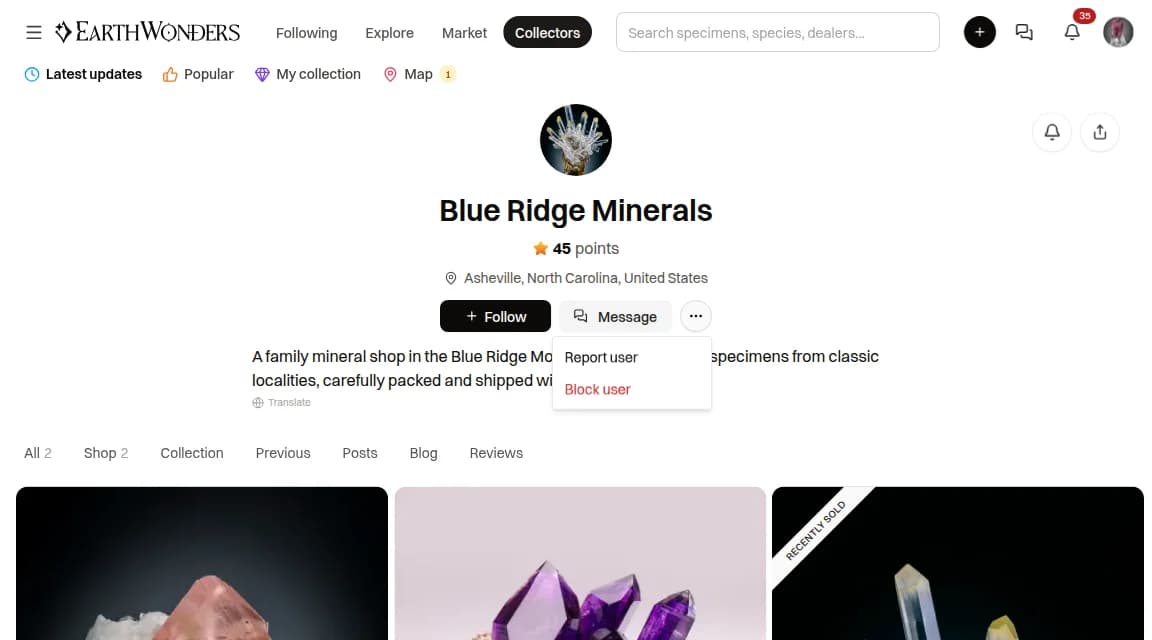
Open the menu on their profile
Go to the member's profile and click the three-dot button next to Follow and Message. You need to be signed in.
- 2
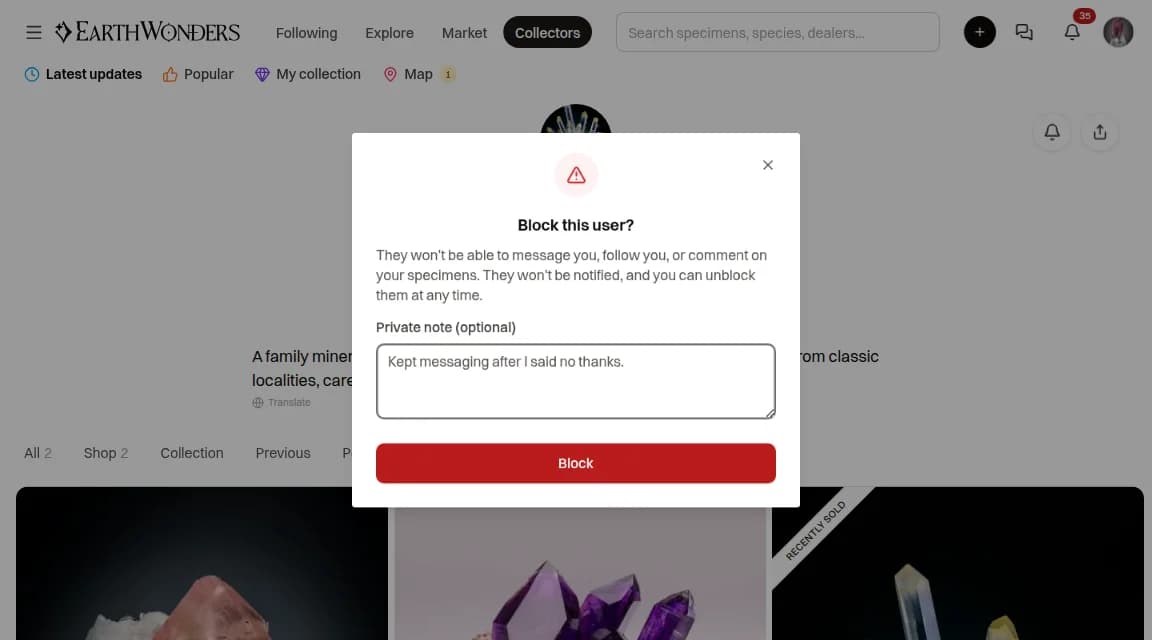
Choose Block user, and add a note if you like
The dialog sums up what blocking does. The private note is optional and only you will ever see it — handy months later, when you wonder why.
- 3
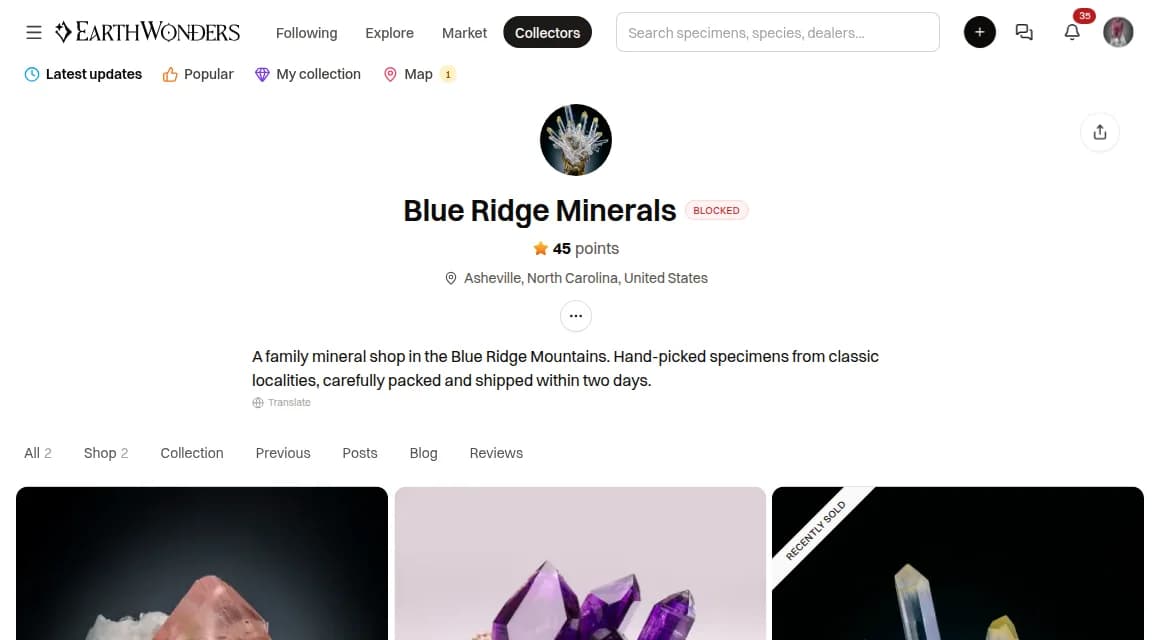
Click Block
A red Blocked badge appears next to their name, and the Follow and Message buttons disappear. That's it — they are not notified.
In the EarthWonders app, tap the three-dot menu on a profile or on a comment and choose Block user.
Reporting them too?
If someone is breaking the rules, choose Report user from the same menu so moderators can act. Tick "Also block this user" in the report form to report and block in one step.
What blocking changes
A block works both ways: it cuts contact for them and for you.
Messages
Neither of you can message the other. Your conversation with them leaves your Messages; on their side it stays, with replies switched off.
Offers
Neither of you can make a new offer on the other's listings.
Follows
Any follow between you, in either direction, is removed — and neither of you can follow the other while the block stands.
Comments
Neither of you can comment on the other's specimens, and their comments are hidden from you.
What they see
Nothing announces the block. The Follow and Message buttons are simply missing from your profile for them, and an existing conversation tells them they can't reply. Your public profile and listings stay visible, as they are to everyone.
See who you've blocked, and unblock
All your blocks live on one page: open the menu and choose Blocked users, under Settings.
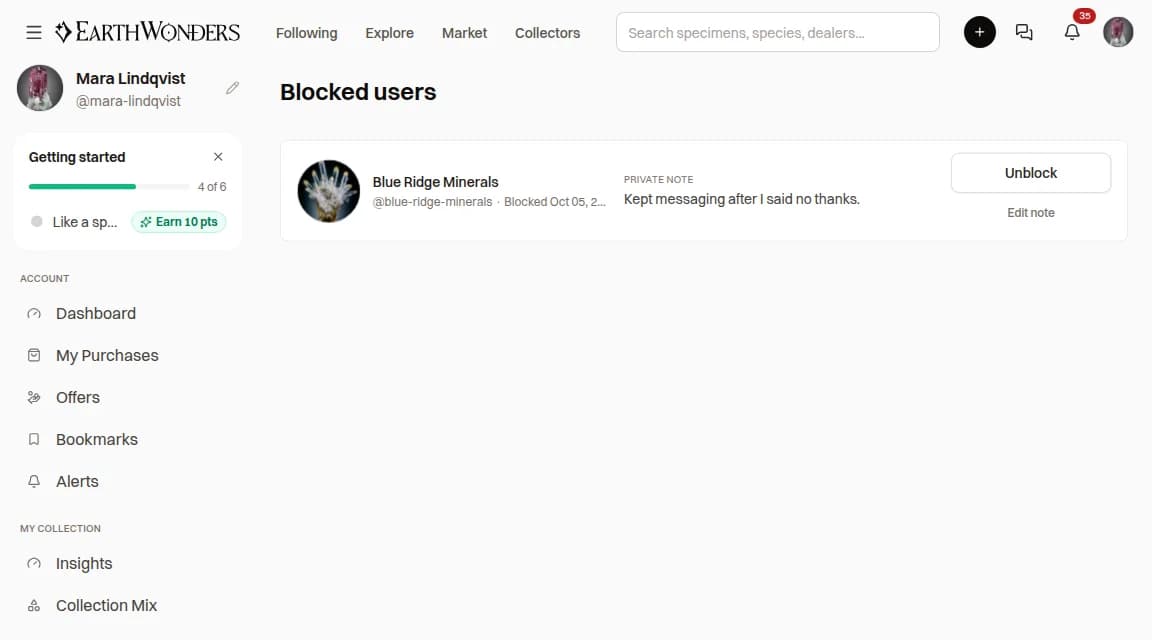
Each entry shows when you blocked the member and your private note. Use Add note or Edit note to change it.
Click Unblock, then confirm. You can also unblock from their profile: three-dot menu → Unblock user.
Unblocking brings back messages, offers, and comments, and your old conversation returns to your Messages. Follows removed by the block don't come back — follow again if you want to.
Block or report?
Block — for you
Instant, private, and reversible. Use it when you just don't want contact with someone.
Report — for everyone
Moderators review it and can act on the account. Use it for scams, harassment, spam, or anything else that breaks the Community Guidelines.
Common questions
Will the other person know I blocked them?
No. EarthWonders doesn't notify them, and they never see a “blocked” label. They will only notice that they can no longer message or follow you.
Can a blocked member still see my profile and listings?
Yes. Public profiles and listings stay public to everyone. Blocking stops contact between the two of you — messages, offers, follows, and comments — not visibility.
Does blocking someone report them to EarthWonders?
No. Moderators only hear about a problem when you report it. Use Report user in the same menu, and tick “Also block this user” to do both in one step.
How do I unblock someone?
Open the menu, choose Blocked users, click Unblock and confirm. Or open their profile and choose Unblock user from the three-dot menu.